Inspector
Raises the nonconformity
Digitize inspections, follow up on every nonconformity, and ensure it closes with full traceability.
A product by Intekel: 13 years building software and more than 50 clients


Finding follow-up Today’s review
Paper
Every site fills out a different checklist.
You can’t compare one site with another.
Chat
The photo stays on the phone of whoever took it.
It never gets tied to the answer.
The email to the area doesn’t say who or by when.
Nobody owns it.
And when the audit comes, they ask you:
“How do you know it was closed?”
With CheckTotal, you have the answer.
Every nonconformity keeps who handled it, who approved the evidence, and when.
Step by step
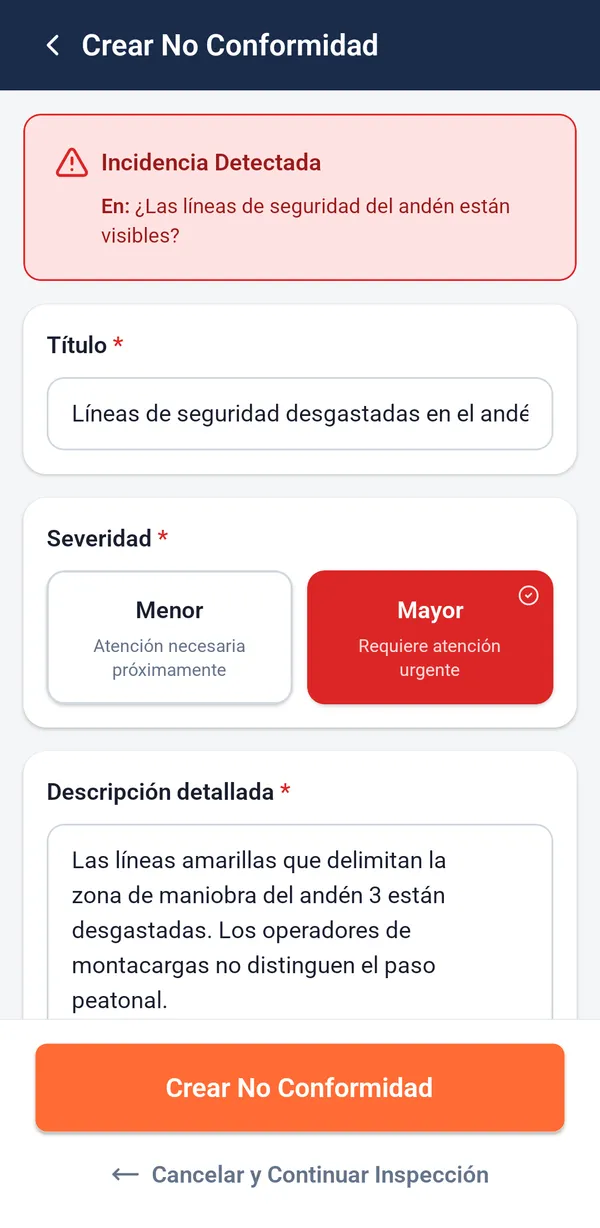
Create your checklist once, and your team answers it from their phones.
Write your questions or upload them from Excel, and choose who approves the fixes and how soon they must be handled.
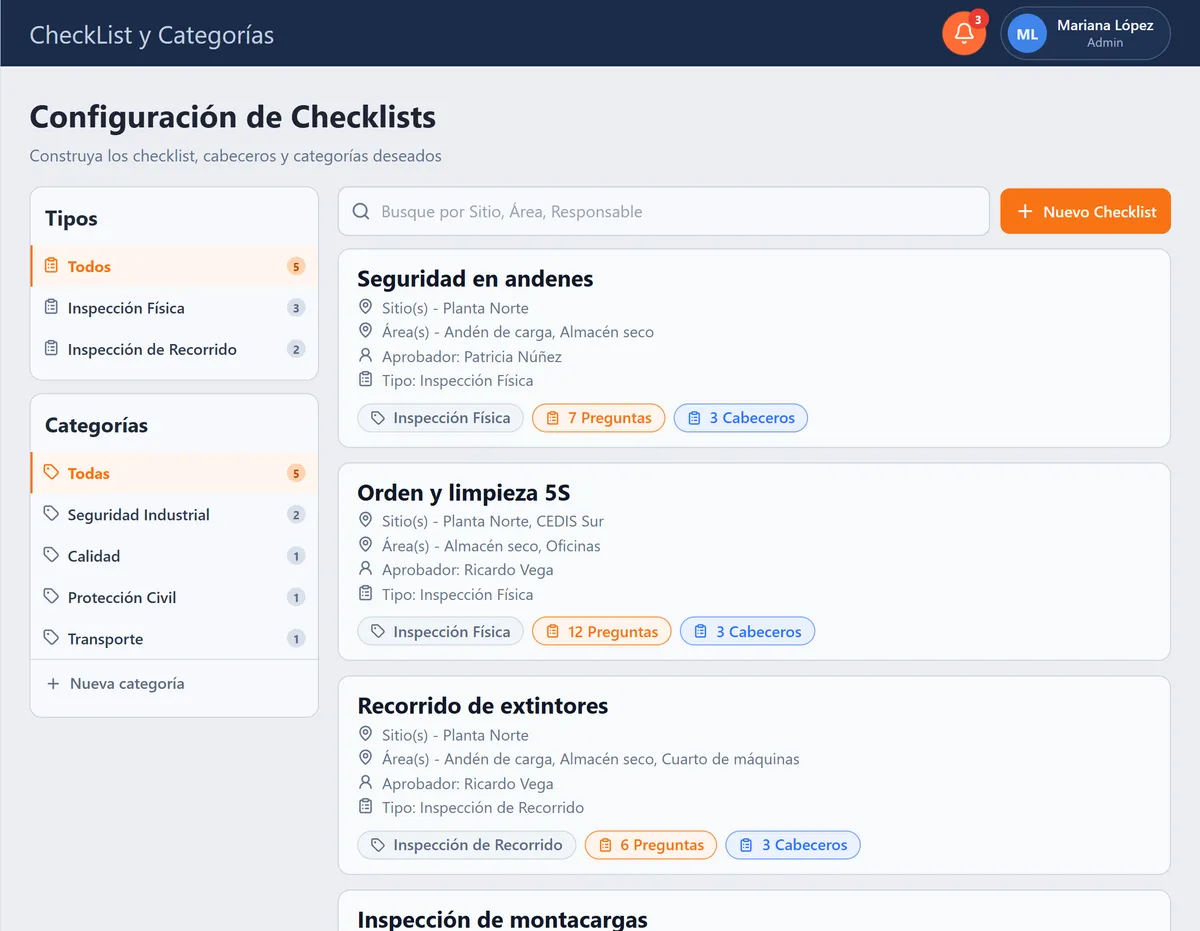
Your inspector answers each question. If something is wrong, they document it right there with photos and a comment.
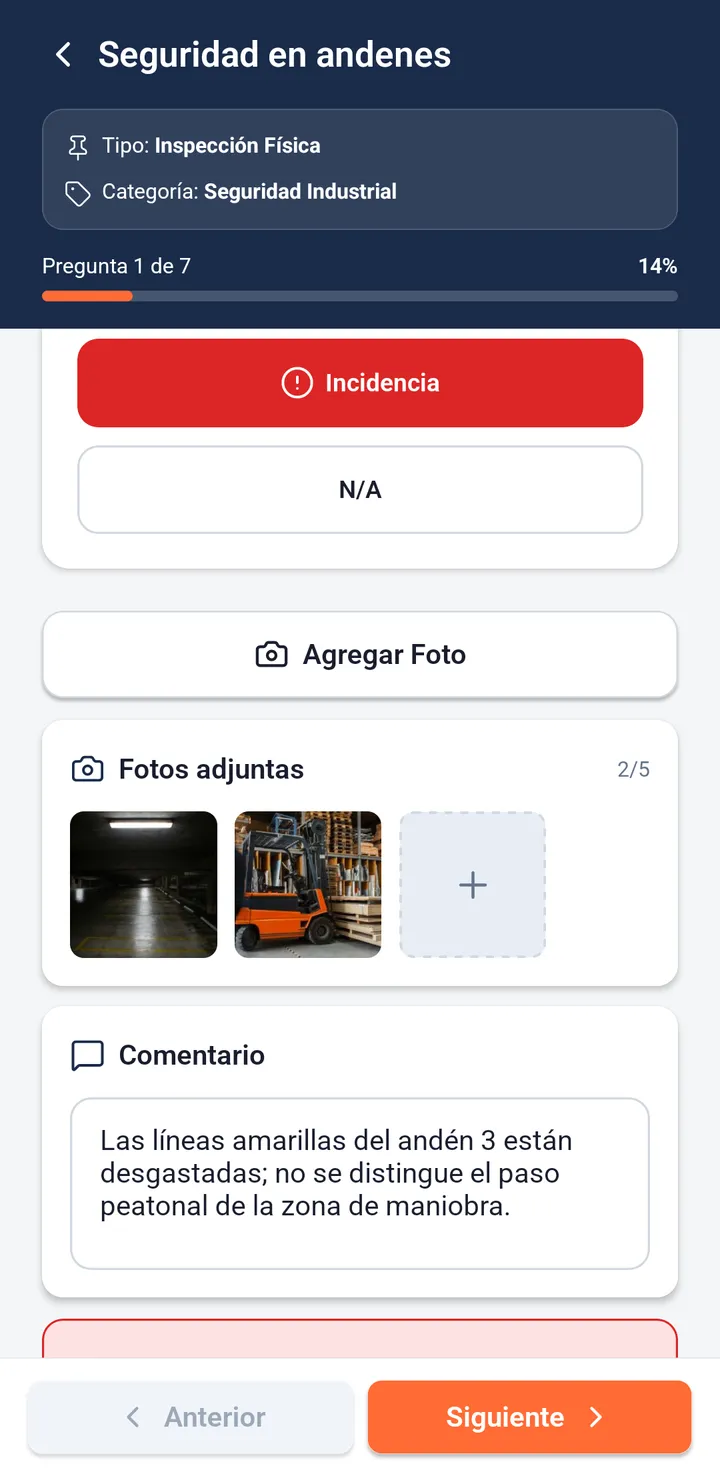
The inspector signs and generates a PDF with the answers, photos, and signatures. The inspection is saved and can’t be changed.
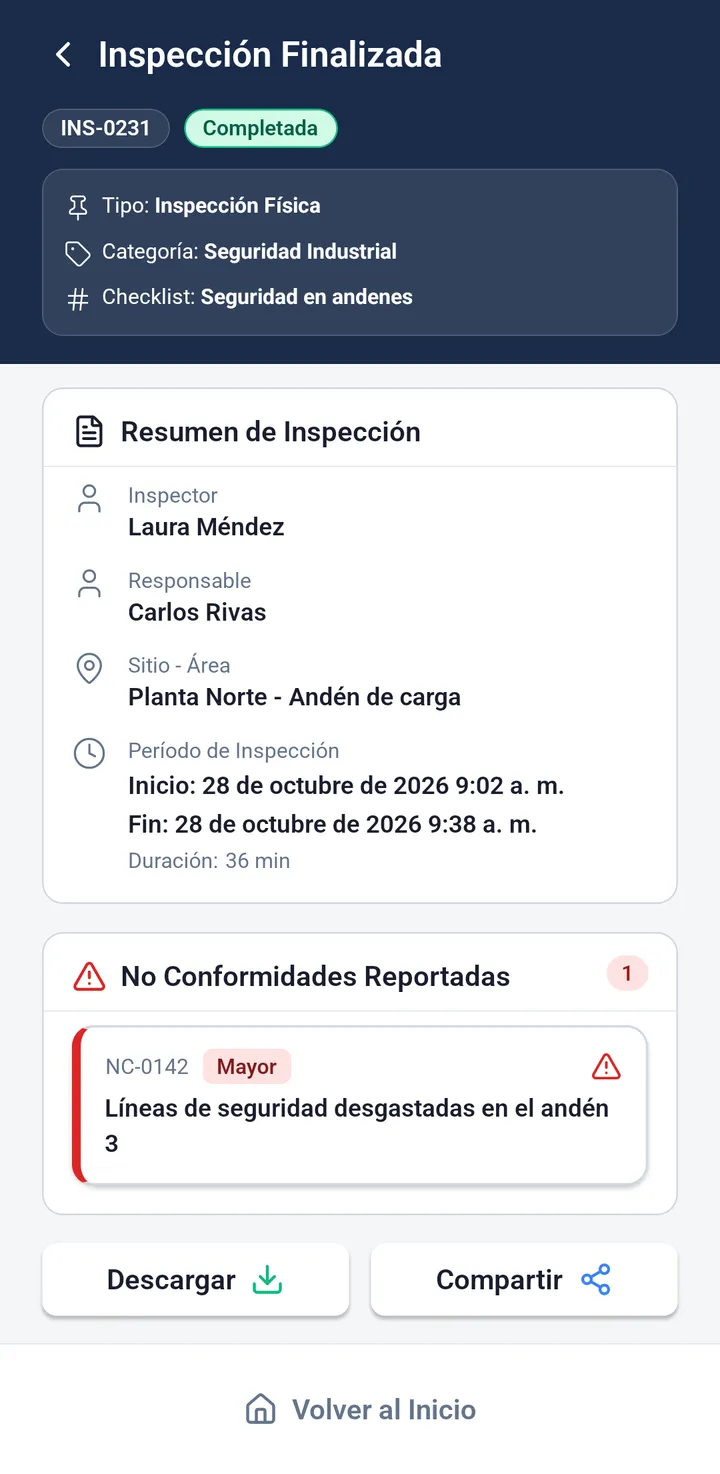
Something doesn’t comply? A nonconformity opens from that same question.
The inspector raises it, the area manager fixes it, and the approver decides. If something doesn’t hold up, it goes back with a reason.
Inspector
Raises the nonconformity

Area manager
Sends the plan and the evidence

Approver
Accepts or rejects with a reason
Features
2 ways
to inspect: on-site, with the full checklist, or by QR walkthrough, checkpoint by checkpoint.
5 photos max per question, and every answer with its date and time.
Areas, checklists, trends, and recurrence
See which area complies least, which checklists pile up the most incidents, whether they are rising, and which ones keep coming back. Filter by any period you choose.
70.8% compliance at the maneuvering yard: so you know which area to tackle first.
| Maneuvering yard | 70.8% |
|---|---|
| Loading dock | 76.1% |
| Machine room | 82.0% |
| Maintenance shop | 85.8% |
| Dry warehouse | 90.2% |
| Offices | 95.3% |
4 roles
The administrator sets things up, the inspector answers checklists, the area manager handles nonconformities, and the approver decides which ones close.
Users
| Name | Role | |
|---|---|---|
 Mariana López |
Administrator | mariana.lopez@example.com |
 Jorge Salinas |
Inspector | jorge.salinas@example.com |
 Carlos Rivas |
Area manager | carlos.rivas@example.com |
 Daniela Ortiz |
Approver | daniela.ortiz@example.com |
6 reports
Each with its own filters and exportable to Excel: the evidence your auditor asks for.
Sample screens and data.
Who’s behind it
Intekel has been building software for business operations for 13 years. CheckTotal is one of its 7 digital products.
 Information security
ISO 27001:2022 certified
Industries we serve
Plans & packages
Select the perfect tier for your operation size. All plans include web command center and mobile app access.
Small teams · 4 users
Ideal for organizations taking their first step toward digitizing checklists and basic inspections.
Growing operations · 12 users
Built for organizations requiring comprehensive issue tracking, full traceability, and advanced reporting.
Large enterprises · Unlimited users
For high-volume operations, multiple facilities, and dedicated support.
Included in every plan
| Feature | Starter | Pro | Enterprise |
|---|---|---|---|
| Monthly inspections | Up to 500 | Up to 2,500 | Unlimited |
| Included users | 4 users | 12 users | Unlimited |
| Issue generation | Basic | Automated with alerts | Advanced with risk matrix |
| Corrective workflow & closure | — | Yes (with validation) | Yes (with SLA & audit trail) |
| Automated PDF reports | Standard | Custom with company logo | Tailored enterprise templates |
| Historical data retention | 1 year | 3 years | 5 years |
| ISO audit readiness | Basic | Comprehensive | Complete forensic audit log |
| Support channel | Email ticket support | Live chat & priority ticketing | Dedicated account manager |
| Checklist types | 3 types | 10 | Unlimited |
| QR code checklist access | — | ✓ | ✓ |
| Non-conformity traceability | — | ✓ | ✓ |
| Role & permission management | Limited | Full | Full |
| Custom analytics dashboards | — | — | ✓ |
| Custom feature development | — | Contact advisor | Contact advisor |
Got questions?
Everything you need to know before implementing CheckTotal in your operation.
Each checklist sets a response deadline. The portal shows the countdown for every open nonconformity and flags it as overdue once the deadline passes, in the inbox and on the dashboard.
Only the checklist’s approver. First they accept the area manager’s action plan, then the evidence that it was carried out. If they reject either one, they give the reason and it stays in the history.
Yes. When you create a checklist in the portal, you can import the questions from an Excel file, type them in, or combine both.
The app needs a connection. Every answer is saved to the server right away; if the signal drops, the app retries and the inspection can be picked up again from the history.
Implementation is fast and guided. Most companies are fully operational in under 48 hours with our onboarding team assisting in digitizing your existing checklists and setting up inspector profiles.
Yes. Checklists, sites, areas, and owners are configured to fit your operation. Intekel builds software for companies in logistics, manufacturing, automotive, construction, chemicals, and agroindustry.
Yes. The inspection history, every nonconformity with its action plan, evidence, and approvals, and the reports serve as evidence for ISO 9001 (Quality), ISO 14001 (Environmental), and ISO 45001 (Occupational Health & Safety) audits.
The app is available for Android and iOS phones and tablets, in Spanish. The web portal works in any browser, in Spanish and English.
The platform is hosted on Amazon Web Services (AWS) with encryption at rest and in transit and continuous backups. Intekel holds ISO 27001:2022 certification for information security.
From finding to closure
From the field inspection to closure, every change is recorded with the date, the time, and who made it.
A product by Intekel: 13 years building software and more than 50 clients
Available for Android, iOS, and web browsers.